$CLONE Claim Guide
https://clone.confidentiallayer.com/
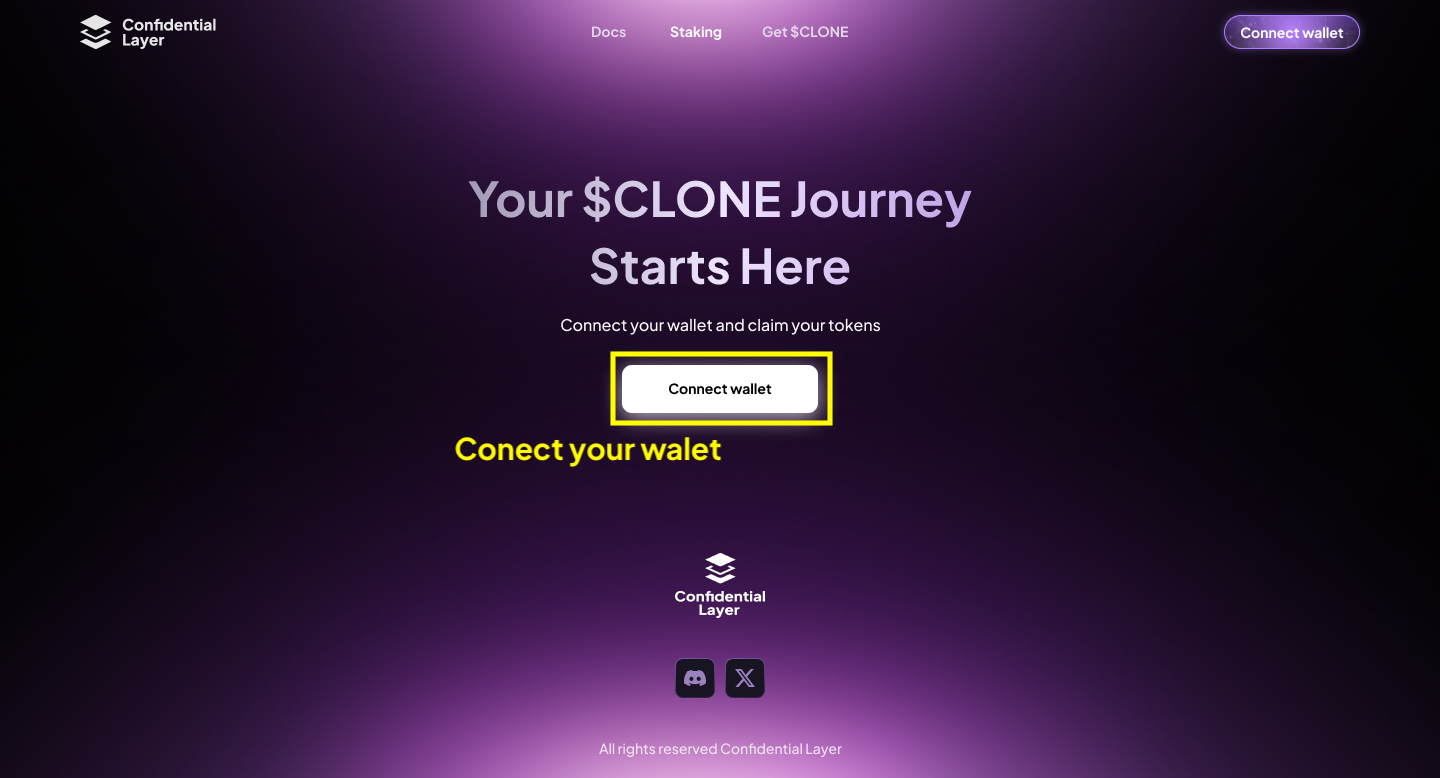
1. Step
Connect your EVM wallet with your presale or airdrop allocation.
2. Step
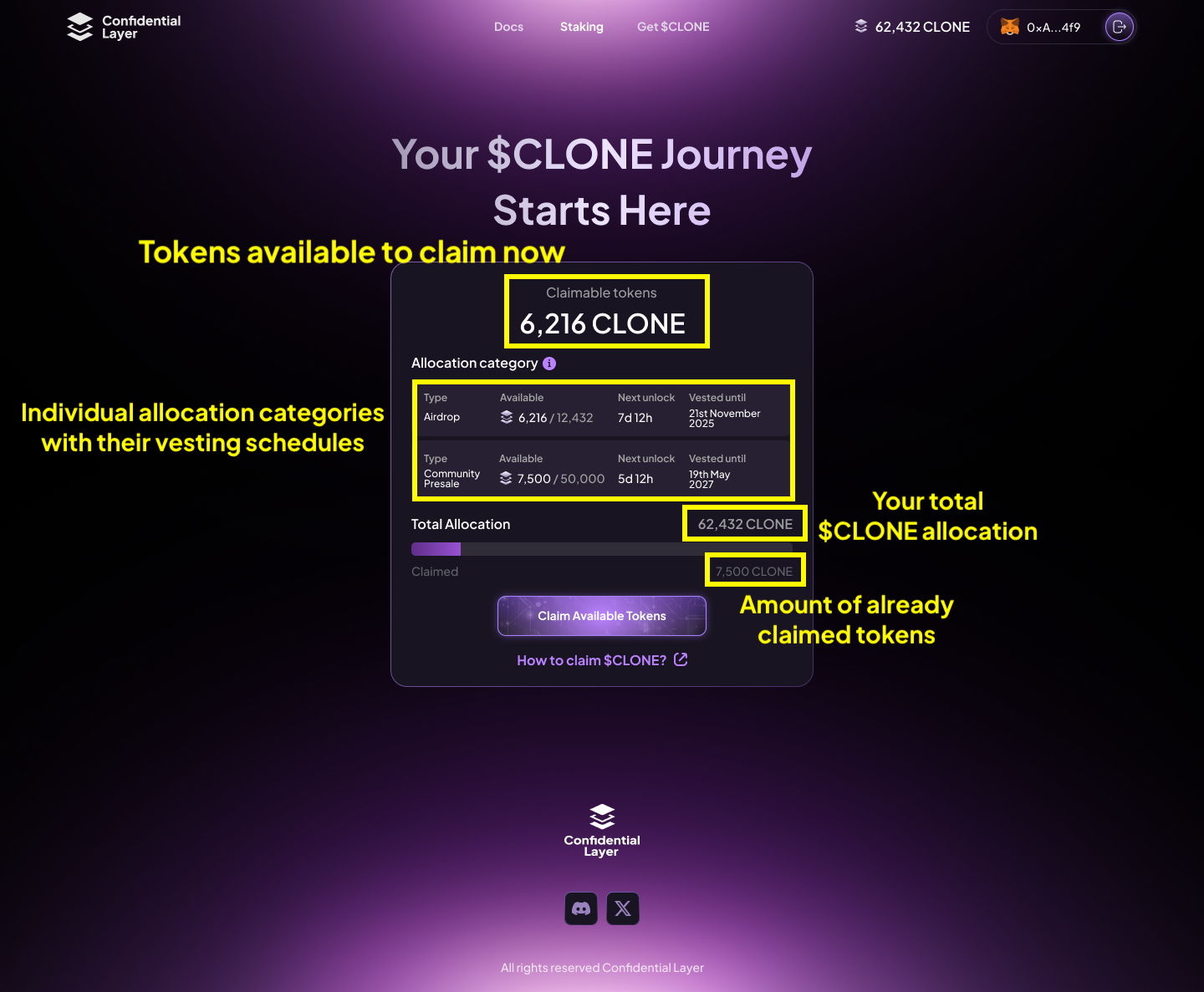
After connecting your wallet, you will be able to see your total $CLONE allocation, specific allocation categories with their vesting schedules, and the amount of claimable tokens.
3. Step
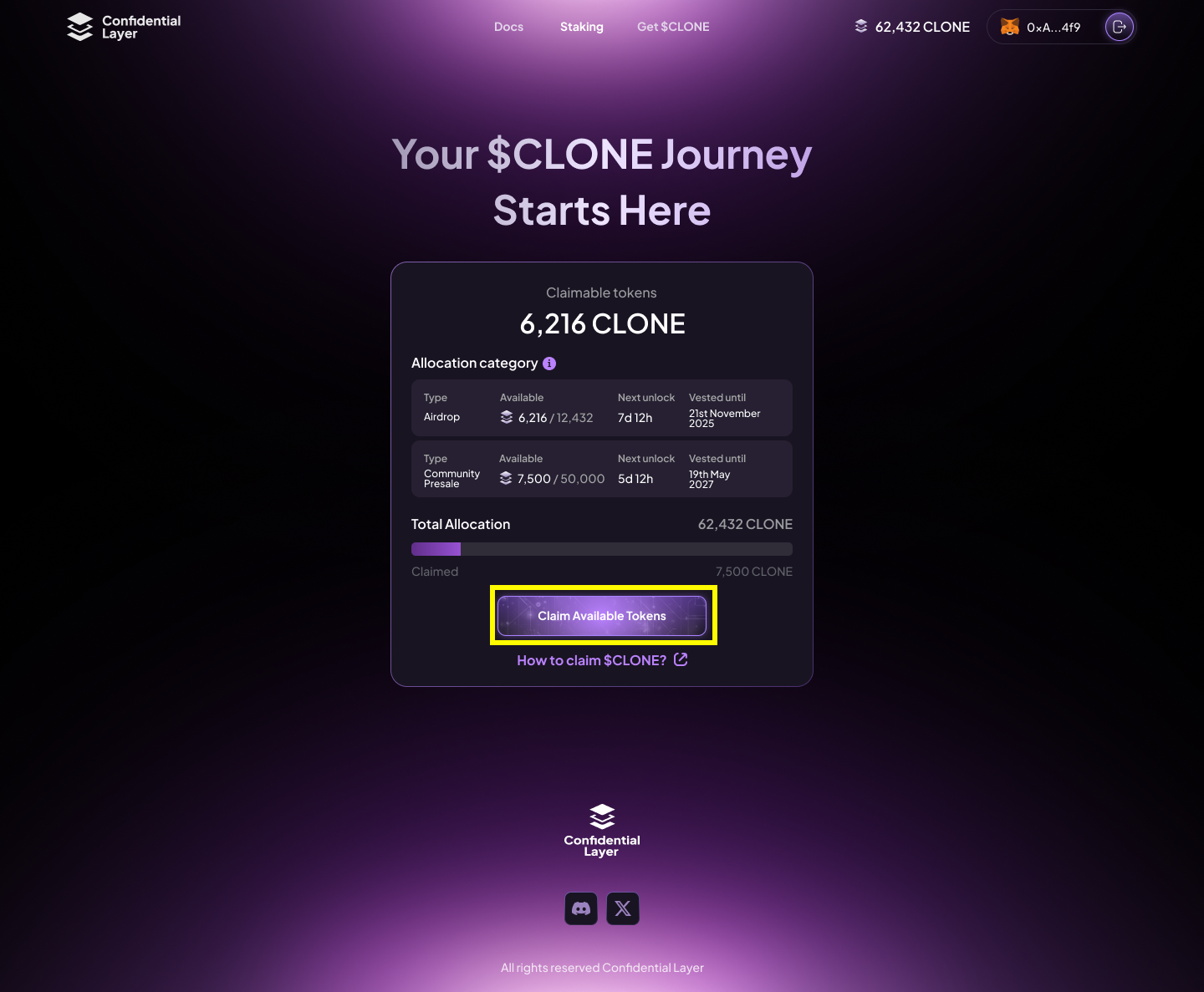
Click on "Claim available tokens" to claim all your unlocked $CLONE
You are claiming $CLONE on the Bridgeless L1 blockchain. Don’t forget to add it to your EVM wallet.
Network name: Bridgeless
Default RPC URL: https://eth-rpc.node0.mainnet.bridgeless.com/
Chain ID: 13441
Currency symbol: BRIDGE
Block explorer URL: https://explorer.mainnet.bridgeless.com/
4. Step
After a successful claim, add the $CLONE contract address to your wallet to view your allocation.
$CLONE Contract Address: 0xe3fa12bBEA3d9d94Dc1C0C8CEa8a1246AF1cE463